A welcome center kiosk that is never out of date
The guide on a touchscreen, with a home screen built for walk-up visitors. Live at the Golden Welcome Center since September 2026. A change made in the admin is on the floor the next time the screen wakes.
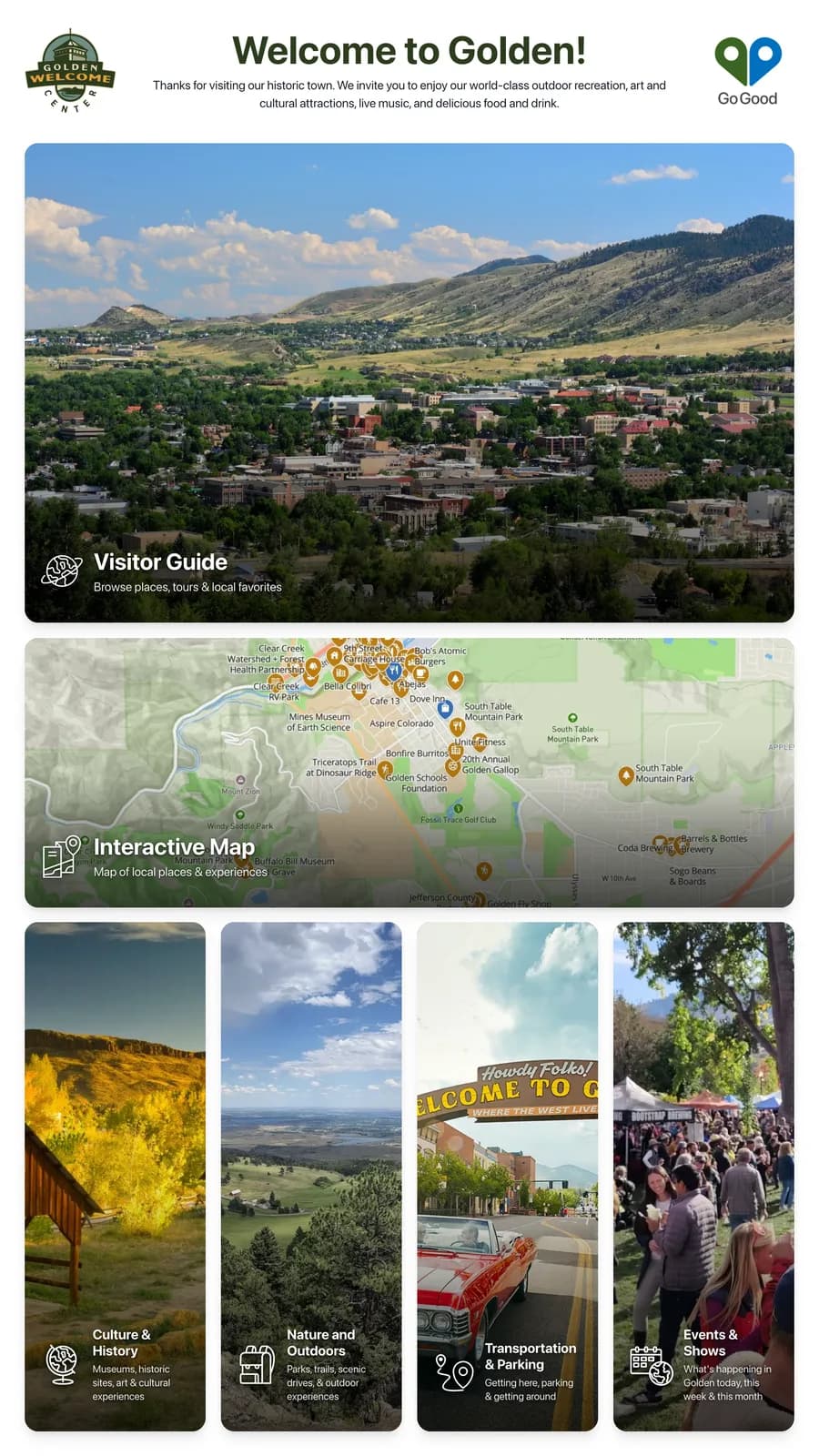
A home screen for walk-ups
Big cards for the visitor guide, the interactive map and the topics a welcome center answers all day – culture, outdoors, getting around, what’s on. The cards are yours to shape: each one’s title, subtitle and photo are set in the admin, topic cards can be added or hidden, and a card can open a page of your own. An idle screen returns to home so the next visitor starts fresh.
The guide, touch-sized
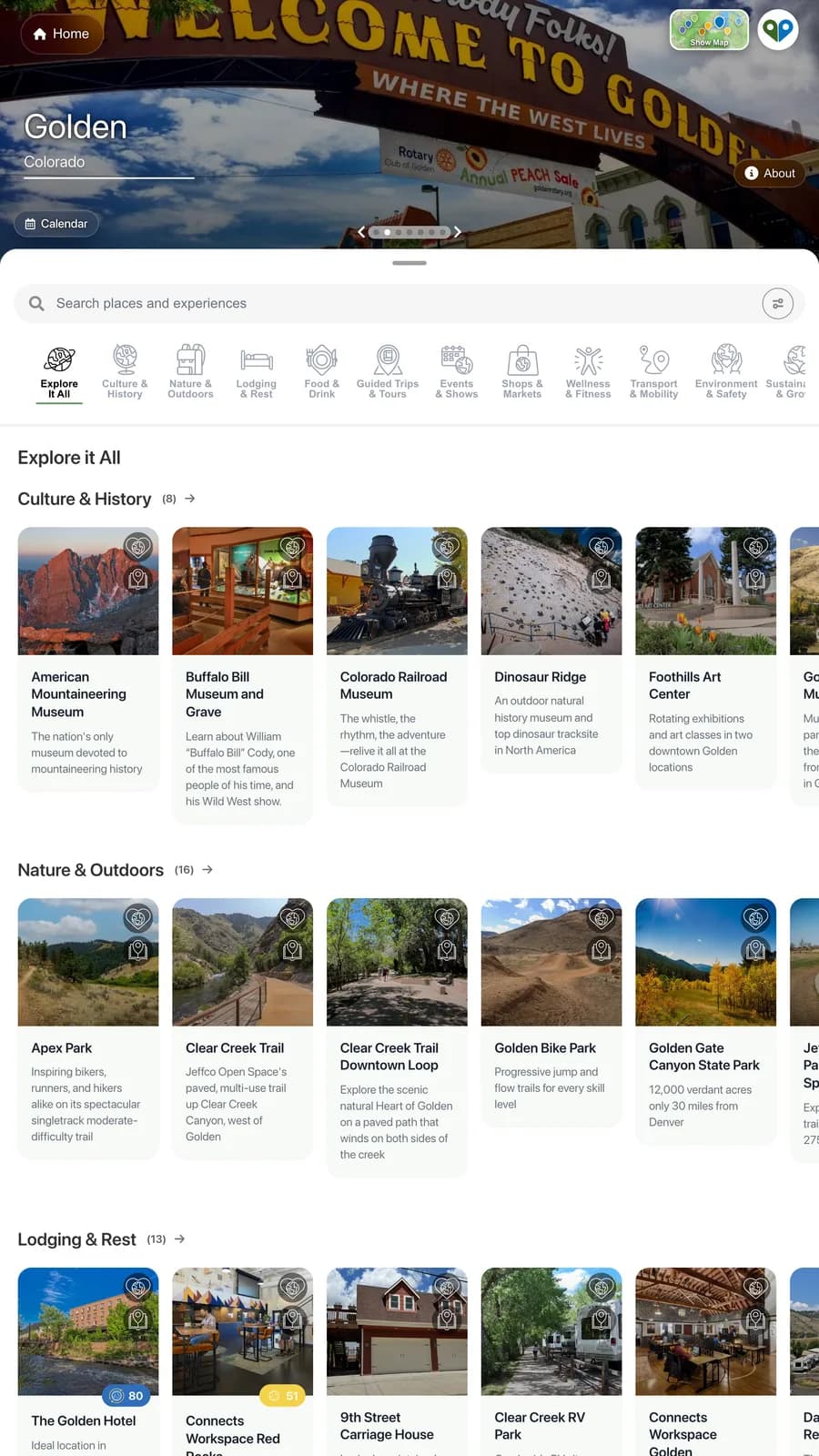
Tap the Visitor Guide card and the guide fills the portrait screen edge to edge: the same places, photos and hours as the phone app, in cards sized for a hand rather than a thumb. An external link opens inside the kiosk or as a QR code the visitor scans to carry it out the door.
The map, full screen
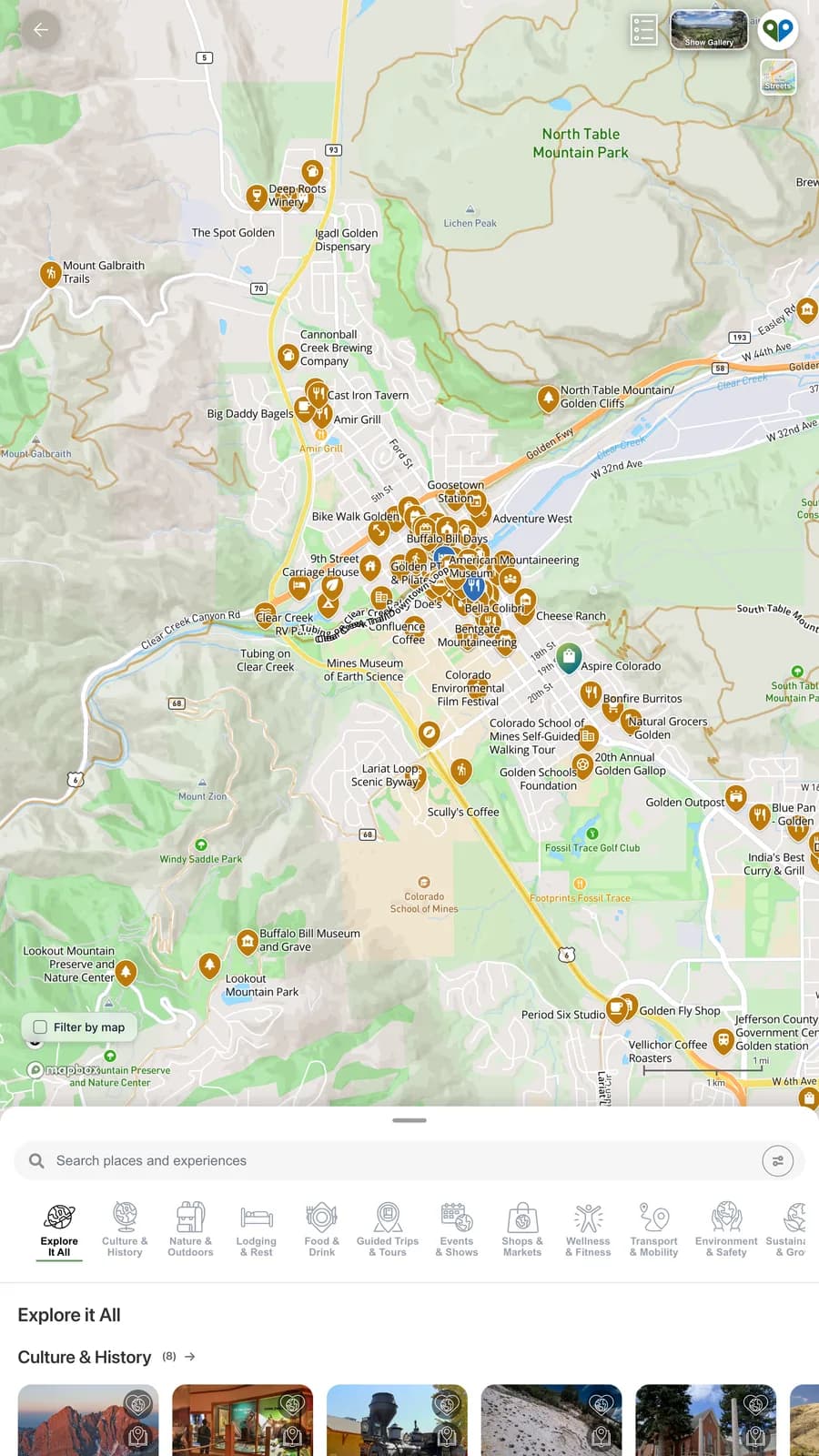
Tap the Interactive Map card and the map takes the screen, with the place list as a sheet that slides up over it. Filter by category or by what is on the map; a tap on a pin opens its card.
Or turn it sideways
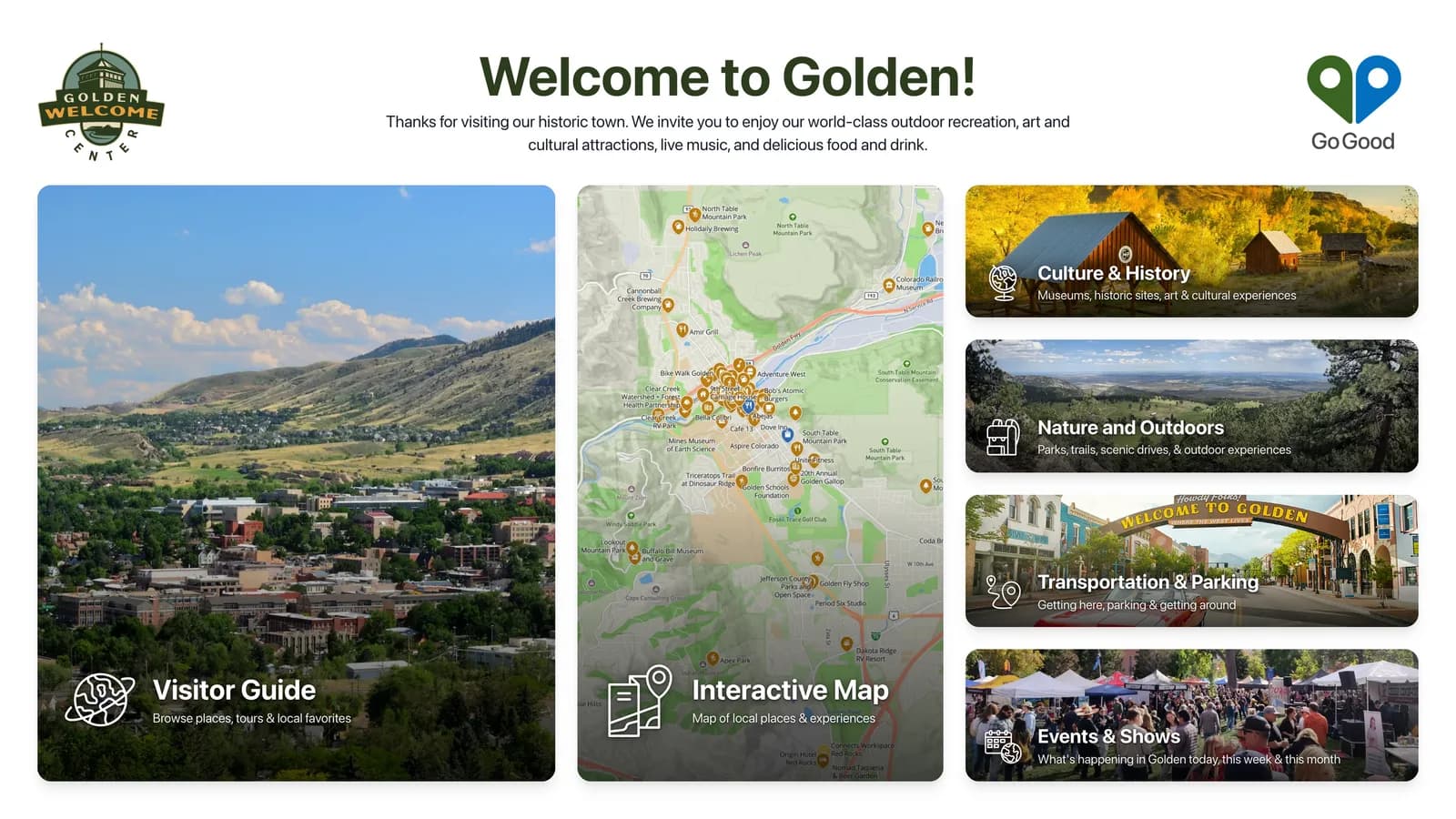
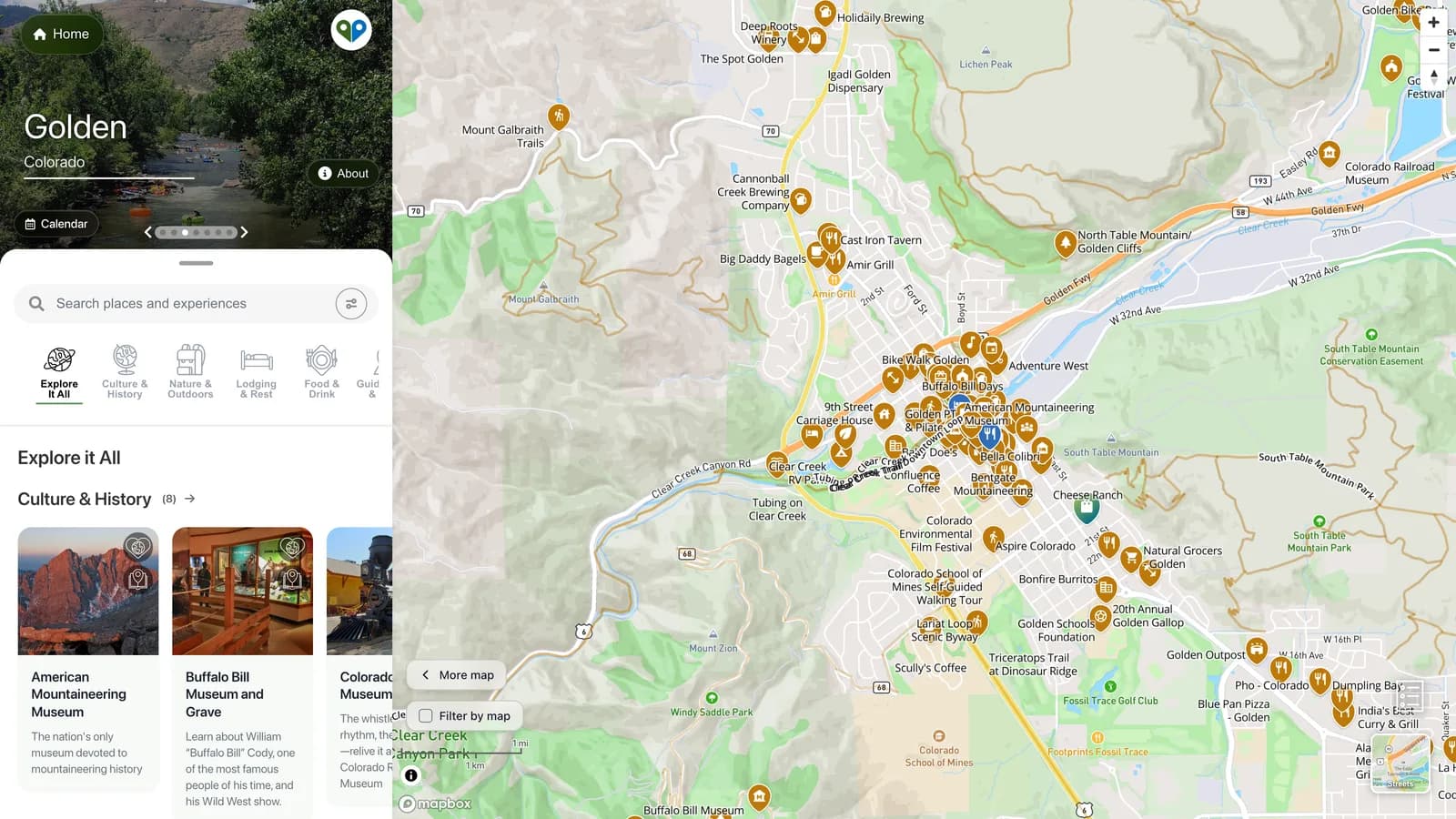
The same panel in landscape – the orientation the Golden Welcome Center chose – lays the home screen out as three columns, and the guide opens as the split view with the place list beside the map.
The guide in landscape
Side panel and map together, the way the desktop guide works, with the panel opening wider or narrower depending on which home card was tapped.
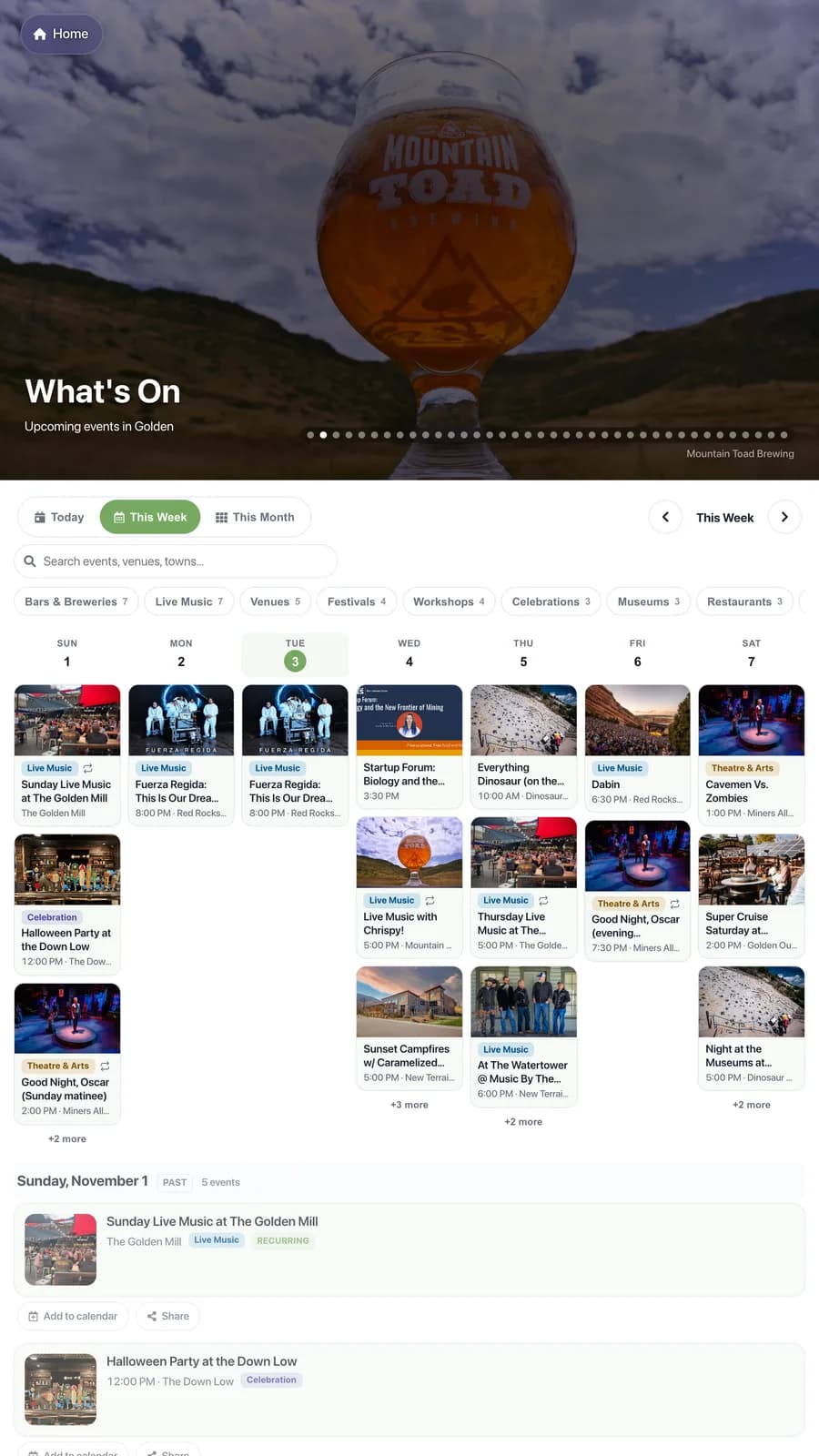
Today’s events, on the wall
The same calendar the guide and the website show, in a view a visitor can read from a step back.
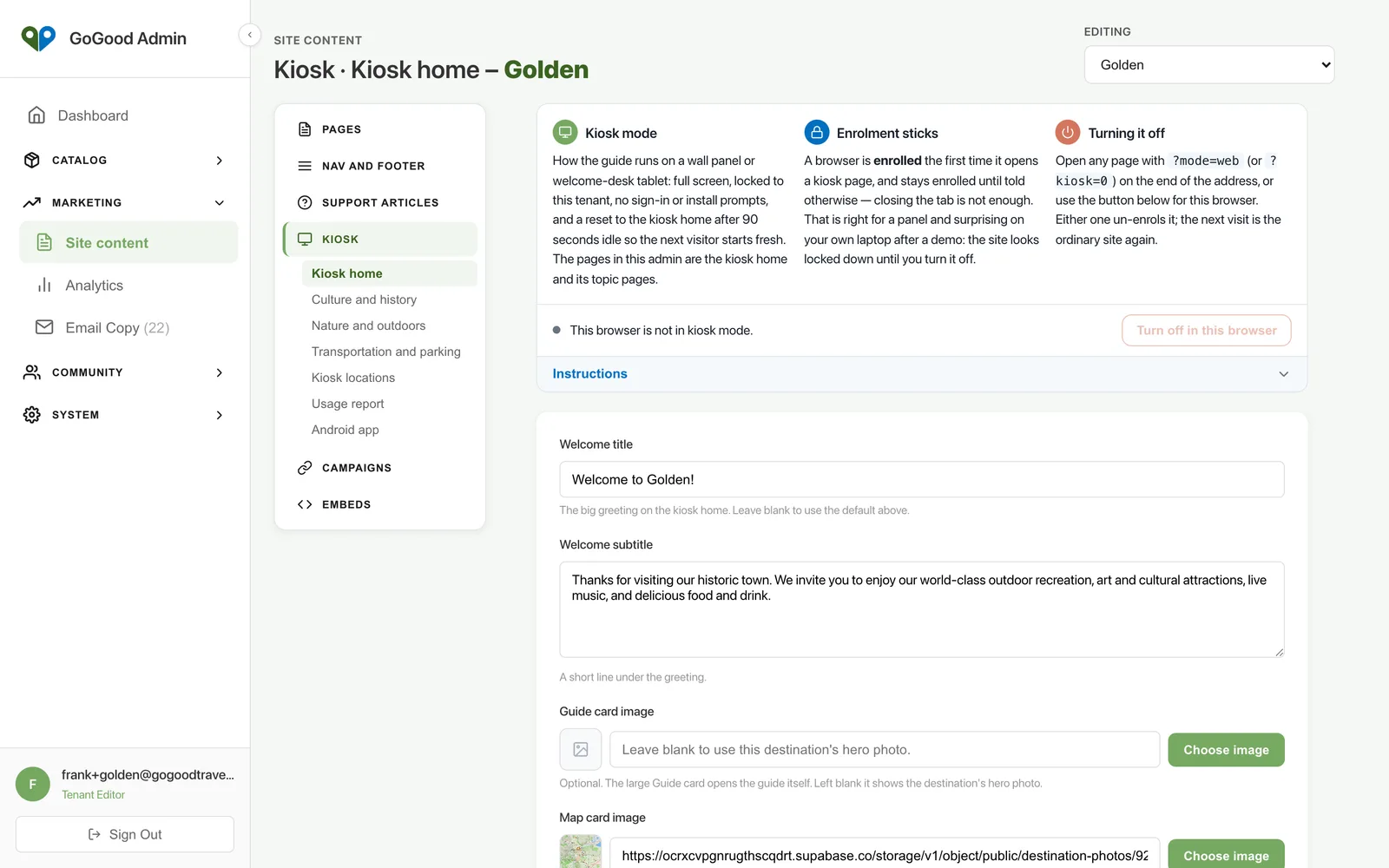
Managed remotely
The kiosk home is a page in the admin like any other: welcome copy, card images, which topic cards show and what each opens, how long before the screen resets. A new kiosk is provisioned from a runbook, and a screen can be swapped without a site visit.
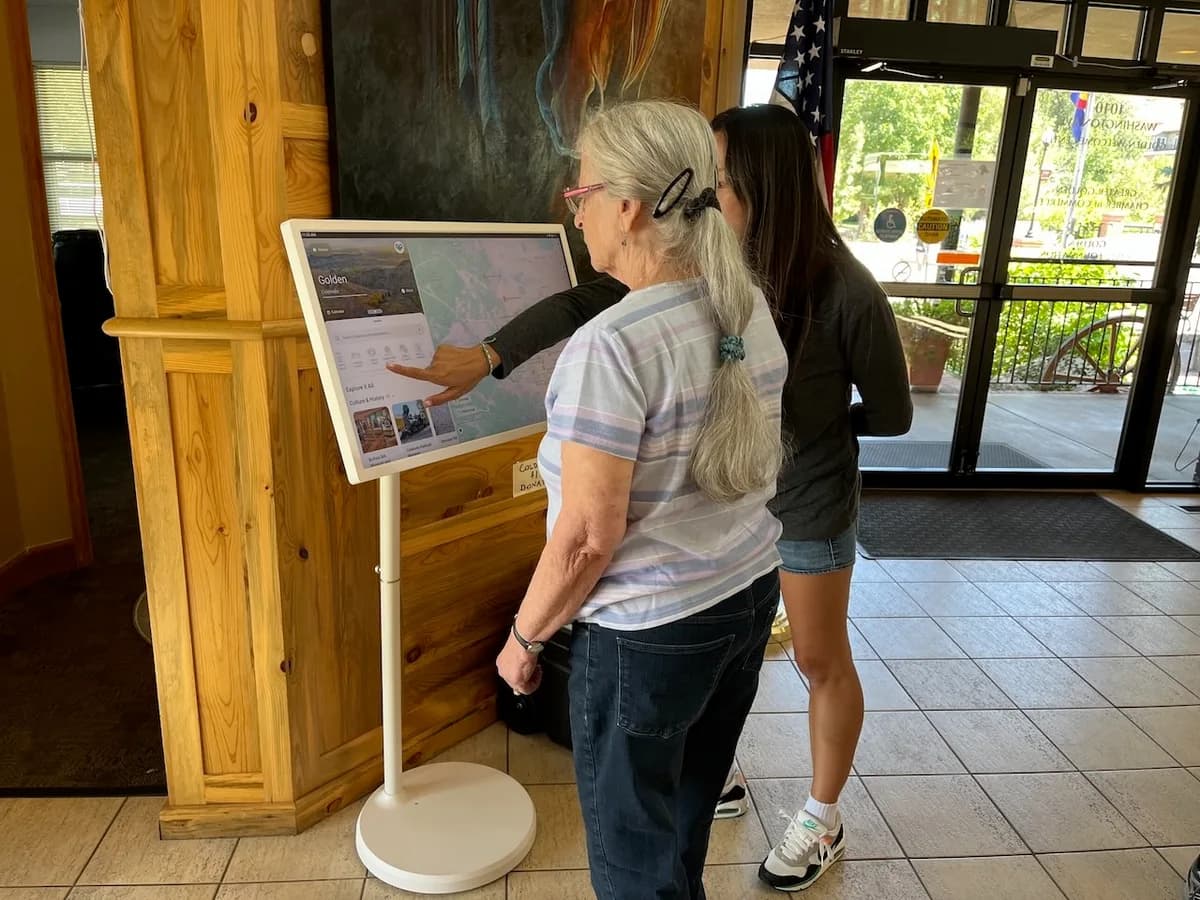
Your hardware or ours
GoGood can supply the touchscreen – the Golden Welcome Center runs a 32-inch portable smart screen on a rolling stand – or install the kiosk on a tablet or touchscreen monitor you already own. Any current Android panel with Google Play works; the kiosk is locked to your guide, with no sign-in or install prompts for guests.
Works with
The guide
A beautiful, simple map guide. Browse by map, search, filter by category. Free, ad-free, and installable on any phone in one tap.
Learn more →Events
An integrated events calendar: agenda and calendar views, recurring events, community submissions, and an embeddable calendar for partner sites.
Learn more →Destination admin
A CMS, a CRM and an interactive map in one place. Listings, pages, events, kiosks, embeds and analytics, scoped to your destination.
Learn more →Ask about a kiosk
The guide on a branded touchscreen for the welcome center floor, with a home screen of cards you configure, the map and today’s events. Live at the Golden Welcome Center.
Ask about a kiosk